


GO Launcher -Themes&Wallpapers
4.3518.75K Reviews
App Specs
- Version
- 3.42
- Updated On
- License
- Free
- Downloads
- 100,000,000+
- Developer
- go live llc
- Categories
- Personalization
- Platform
- Android
Screenshots
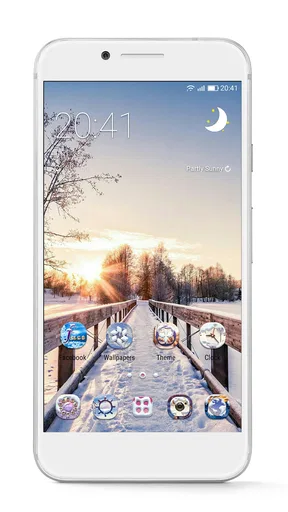
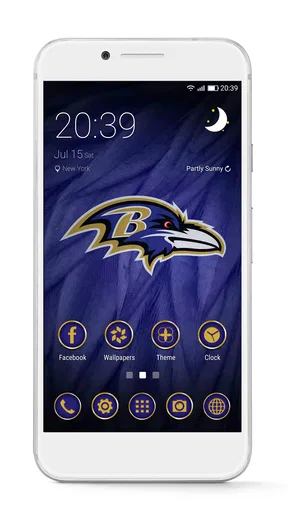
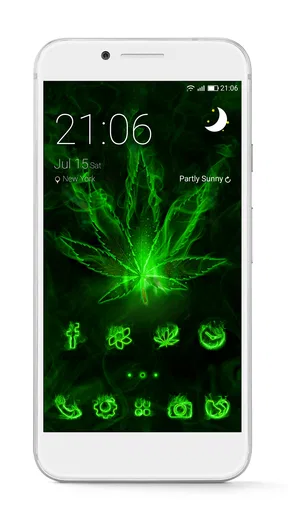
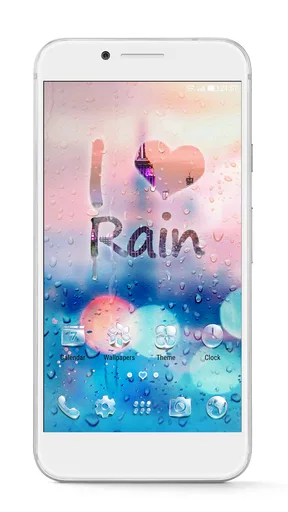
 Analysis by AppCompare
I find a launcher most useful when it solves a small, repeated annoyance, not just when it makes a phone look different. For a shared household device, that might mean making the home screen easier for one person to scan, or giving a family member a layout that feels less cluttered. GO Launcher -Themes&Wallpapers is a personalization app from go live llc, and its appeal is the ability to change the home-screen look rather than simply swap the background image.
One phone, different tastes
On a device used by more than one person, visual customization can help make the home screen feel familiar to whoever is holding it. A calmer theme may suit someone who wants fewer visual distractions, while brighter icons and a more expressive wallpaper may appeal to someone else. The practical point is not that the launcher manages separate household profiles; it is that its appearance options can make a shared phone feel more personal to the person using it at that moment.
I would treat any change as a shared decision if other people rely on the device. A new theme can alter the visual cues everyone has learned, so it is sensible to agree on a look before changing a phone used for calls, reminders, or everyday tasks. That small conversation can prevent a decorative experiment from making the home screen confusing for someone else.
Guides and Analysis on GO Launcher -Themes&Wallpapers
Keep personalization within sensible boundaries
Because a launcher changes the home-screen experience, I would start with one adjustment rather than changing everything at once. Try a theme first, then decide whether the wallpaper, icons, or widgets still make sense together. This makes it easier to tell what you actually like and gives other users a simpler way to adapt.
It is also worth separating a visual choice from an account or privacy boundary. A themed home screen does not, by itself, make a shared device into separate personal spaces. If different people need their own private accounts or distinct access, use the device’s appropriate account and security settings rather than relying on a launcher’s appearance. That is a useful distinction for households where a phone or tablet moves between several hands.
Coordinate before the screen changes
A realistic example is a family member changing the wallpaper while another person is away, then discovering that the familiar layout is harder to navigate when the device is handed back. I would take a quick look at the finished screen together and make sure essential apps remain easy to find. A launcher is most helpful when its style choices do not get in the way of the habits people already depend on.
If you enjoy trying new looks, it can be tempting to switch themes often. I would keep a note of the layout choices that work well, especially on a device used for shared routines, and avoid making a major change just before someone needs the phone for a time-sensitive task. That is a simple way to enjoy customization without turning it into a coordination problem.
Worth Reading Before You Choose

Basketball Stars: Multiplayer Is Fast, but Can It Recover When Matches Go Wrong?

WEBTOON Turns Phone Updates Into a Better Reading Routine

Link to Windows Runs on Shared Habits, Not Social Feeds

How Alibaba.com Dominates the B2B Marketplace

Metro's Quiet Rise: Redefining Mobile Communication

Harnessing Ecosystem Power with Phone Tracker by Number
Age, trust, and household fit
The app is rated Everyone, which makes its stated age category broad, but I would still make choices about downloads and purchases with the actual user in mind. The app is free to install, while in-app purchases range from $0.99 to $109.99 per item, so I would review purchase settings on a device used by children or by anyone who might tap through paid options unintentionally. An age rating is useful context, not a substitute for household expectations.
GO Launcher has a 4.3 average from around 7.3 million ratings, and it has passed 100 million installs. Those figures suggest that many people have tried it, but I would still judge it by whether its customization feels useful on your own phone. Its current version is 3.42, and it supports Android 7.0 or later, so it is an option for compatible Android devices rather than a general solution for every phone platform.
First Impressions and Setup
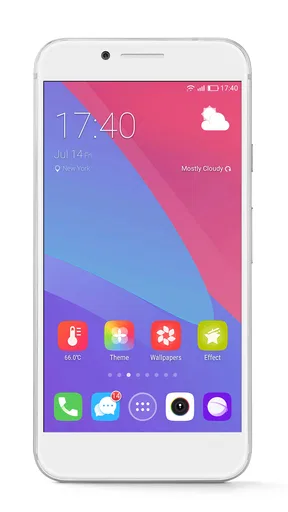
When I first downloaded GO Launcher -Themes&Wallpapers, I was greeted with a clean and intuitive interface. The installation was smooth, and within minutes, I was ready to explore its features. The app offers a plethora of customization options that can transform your usual home screen into something truly unique.
The setup process is pretty straightforward. Once you’ve got the app installed, you’re prompted to choose from a variety of themes. Whether you’re into minimalist designs or vibrant, eye-popping colors, there’s something for everyone. I was particularly impressed by how seamlessly these themes integrated with the existing apps on my phone.
Diving Into the Features
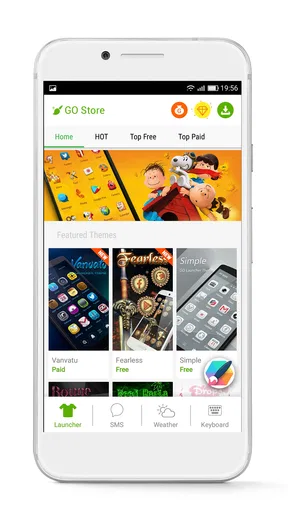
Now, let’s talk features because there’s a lot to unpack here. First off, the themes. With thousands to choose from, it’s like having a new phone every day. I spent a good hour just browsing through the options, from sleek modern designs to playful, cartoon-inspired themes.
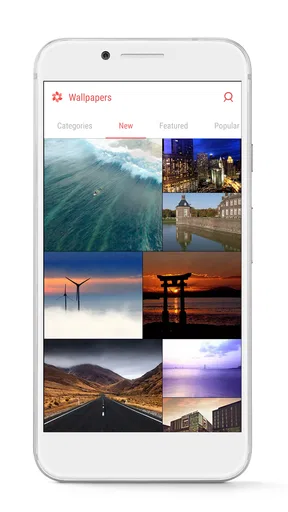
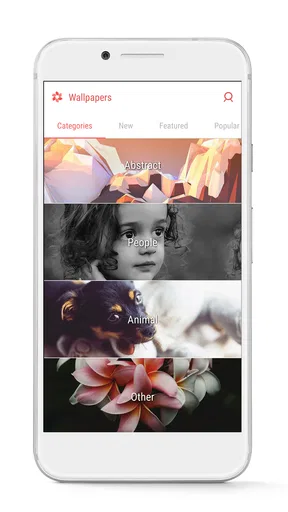
One of the standout features for me was the wallpaper selection. Not only do you get high-quality images, but you also have the option for live wallpapers, which add a dynamic touch to your screen. Imagine a gentle snowfall or waves lapping against the shore as your background—super cool, right?
Customization doesn’t stop there. You can tweak icons, widgets, and even the app drawer. I had fun playing around with different icon packs, which gave my phone a completely different vibe each time. The app also offers additional tools like a weather widget and a news feed, which you can arrange as you like.
Performance and Usability
Okay, so let’s talk about how this app performs. I was pleasantly surprised by how smooth everything was. Even with a live wallpaper running, my phone didn’t lag, which is a huge plus. The app is designed to be lightweight, so it doesn’t hog your phone’s resources. That said, if you’re using an older device, it might be a good idea to keep an eye on performance.
Usability-wise, GO Launcher -Themes&Wallpapers is pretty user-friendly. The settings are easy to navigate, and if you ever get stuck, there’s a helpful tutorial to guide you through the process. I found the drag-and-drop feature for widgets and icons particularly intuitive, making rearranging my home screen a breeze.
What to expect from everyday use
The main decision is whether you want a complete home-screen makeover or only a new background. A wallpaper-only option is simpler and leaves the rest of the phone’s familiar layout alone. A launcher makes more sense when you also want to change icons, arrange widgets differently, or give the app drawer a new look. In my view, that broader control is the reason to try this one; if you only change your wallpaper once in a while, a built-in wallpaper picker may be less work.
There is a small trade-off in browsing a large theme collection: choosing a look can take longer than applying it. I would narrow the search by deciding what you want first—quieter colors, a particular visual style, or icons that are easier to distinguish—then preview a few candidates instead of continually switching. That approach is especially useful when you are setting up a phone for someone else, since a readable layout matters more than novelty.
For a practical routine, imagine handing your phone to a relative to check a calendar entry or find a household contact. A restrained theme with recognizable icons may be more helpful than an elaborate design that looks great but makes familiar apps harder to spot. I would keep the frequently used apps in predictable places and treat the rest of the screen as the area for experimentation. The best customization is the kind that still works when you are in a hurry.
Choosing a look without creating clutter
One useful way to judge a theme is to check the home screen in ordinary conditions, not just while browsing its preview. Look at whether labels remain legible, whether icon shapes are easy to tell apart, and whether the wallpaper competes with widgets or text. A vivid background can be appealing at first but tiring behind a busy layout, while a simpler image often leaves useful information easier to read.
Widgets deserve the same practical check. A weather widget or news feed can make a screen feel more useful, but adding several information panels may leave less room for the apps people open most. I would add only the items that genuinely save a step, then remove anything that turns into visual noise. This is a better test than judging a setup by how many options it can display.
Live wallpapers are another choice where personal taste meets everyday practicality. Their motion can make a phone feel lively, but it may distract someone who prefers a still screen. If the device is shared, ask whether the movement suits everyone who uses it; on an older phone, pay attention to responsiveness after enabling it rather than assuming every effect will feel equally smooth. A static wallpaper is the sensible fallback when clarity or a quieter screen matters more.
Where it sits among launcher choices
Compared with the launcher already included on a phone, GO Launcher is aimed at people who want more visual variety and more freedom to adjust the home screen. The default option is often preferable for someone who values familiarity, wants fewer setup decisions, or simply needs the phone to behave as it did out of the box. A wallpaper app, meanwhile, can refresh the look without changing the way icons and widgets are arranged. I would choose this launcher only if those extra controls are part of the appeal.
It is also not the right answer for every shared-device problem. If the household’s priority is keeping personal accounts separate, controlling what another person can open, or maintaining a consistent interface for accessibility, a launcher’s styling options are not a replacement for device-level tools or a simpler setup. I would skip it for a user who finds changing icons disorienting, or for anyone who dislikes spending time tuning a screen after installation.
My most useful setup tip is to make one change, use the phone normally for a while, and then decide whether to keep it. That reveals whether a theme improves daily use or merely looks appealing in a browsing session. It also makes troubleshooting easier: if something feels less clear, you know which recent change to undo rather than having to rebuild the entire screen.
Is It Worth It?
So, the big question: Is it worth your time? If you’re someone who loves to express yourself through your tech, then absolutely. The sheer variety of themes and wallpapers is a dream for anyone looking to make their phone stand out.
However, it's worth noting that while the app is free, some of the more premium themes and features require in-app purchases. It’s something to consider if you’re planning on going all out with customization.
One final point for households: I would make the person who uses the phone most part of the setup, even if someone else is doing the technical work. A theme that pleases the person customizing it may not suit the person who needs to find apps quickly. When paid choices appear, it is also better to pause and decide together rather than treating a tap as an automatic part of trying a design.
Overall, GO Launcher -Themes&Wallpapers is a solid choice for anyone looking to breathe new life into their phone. With its rich feature set and smooth performance, it’s a great tool for personalization enthusiasts. So, if you’re ready to turn your phone into a reflection of your style, give it a go! Happy customizing!
Pros
- Highly customizable interface.
- Wide variety of themes available.
- Smooth and fast performance.
- Regular updates with new features.
- Easy to use and navigate.
Cons
- Contains ads in free version.
- Some features require in-app purchases.
- Occasional lag on older devices.
- Themes can drain battery quickly.
- Limited widget customization options.
FAQs for GO Launcher -Themes&Wallpapers
What is GO Launcher and what features does it offer?
GO Launcher is a customizable Android home screen replacement app that provides a wide range of themes and wallpapers. It allows users to personalize their device's interface with over 10,000 themes and numerous widgets, transition effects, and smart management tools. This helps users tailor their smartphone experience according to their preferences.
Is GO Launcher free to use, and are there any in-app purchases?
GO Launcher is free to download and use, but it includes in-app purchases. These purchases allow users to access premium themes, advanced features, and an ad-free experience. While the basic functionalities and many themes can be enjoyed without payment, these purchases enhance customization options.
How does GO Launcher impact my phone’s performance and battery life?
GO Launcher is designed to optimize your device's performance with features like a phone booster and battery saver. However, as with any launcher, the app may consume additional resources, potentially affecting battery life and performance. Users should monitor their device to ensure it meets their personal usage needs.
Can I revert to my original launcher after installing GO Launcher?
Yes, you can revert to your original launcher after installing GO Launcher. Simply go to your device's settings, select the default launcher option, and choose your previous launcher. Uninstalling GO Launcher will also automatically switch back to your original home screen setup.
Does GO Launcher require any special permissions to function?
GO Launcher requires several permissions to operate effectively, including access to your device’s storage, system settings, and app usage data. These permissions enable the launcher to apply themes, manage widgets, and provide personalized content. Users should review these permissions carefully to understand what access is being granted.


